


t3h official HDR thread!!!


Thread Starter
Former Sponsor
iTrader: (18)
Joined: Nov 2002
Posts: 4,331
From: BAIC Wagon/Sedan Clique
Car Info: a few WRX's and a Z ;)
i like the setup i have now.
if i decide to go w/ a fmic i'd switch to the other one (which i wont be doing anytime soon).
its stock. springs, swaybars. intake. that's it.
-sd
if i decide to go w/ a fmic i'd switch to the other one (which i wont be doing anytime soon).
its stock. springs, swaybars. intake. that's it.
-sd

Pixel Master
iTrader: (2)
Joined: Jun 2006
Posts: 767
From: www.miniridez.com
Car Info: 2006 WRX BLACK

Registered User
iTrader: (10)
Joined: Jun 2005
Posts: 2,641
From: Daly City
Car Info: 2001 Impreza 2.2L
Wikipedia to the rescue!
http://en.wikipedia.org/wiki/High_dynamic_range_imaging
because I'm too lazy to explain
http://en.wikipedia.org/wiki/High_dynamic_range_imaging
because I'm too lazy to explain
Pixel Master
iTrader: (2)
Joined: Jun 2006
Posts: 767
From: www.miniridez.com
Car Info: 2006 WRX BLACK
I take what I said back. After seeing other pics on this thread, I definately see the difference. So, is there a way to take 3 or more pictures in one shot, each having a different setting?
I have a Nikon D50. Please help and explain, I'm highly interested in learning this.
I know you need a tripod and you're suppose to take 3 or more pictures (same position of course) with each having a different setting. So is there a way to take these pictures in one shot? Does the camera allow you to do that?
I have a Nikon D50. Please help and explain, I'm highly interested in learning this.
I know you need a tripod and you're suppose to take 3 or more pictures (same position of course) with each having a different setting. So is there a way to take these pictures in one shot? Does the camera allow you to do that?


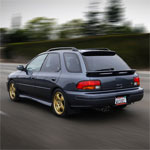
This Guy Can Hella Draw!
iTrader: (9)
Joined: Nov 2002
Posts: 3,314
From: BAIC Wagon Clique
Car Info: '14 MBP FXT | '03 WW Evo VIII
Everyone has nice cameras that take great images. But I wanted to give it a shot with my camera. I used the HDR thing in Photoshop CS2. File>Automate>Merge to HDR. My camera is a old 2.1 MP point and shoot. I color balanced it because all the light in the garage makes everything orange.
