


The Official PC Thread


Registered User
iTrader: (1)
Joined: Jul 2012
Posts: 1,856
From: San Francisco
Car Info: 2011 WRX Sedan
I havent been here personally but I asked a friend who normally does stuff like that:
Laser Cutting Services | Laser Engraving • Laser Alliance LLC •
Laser Cutting Services | Laser Engraving • Laser Alliance LLC •


Registered User
iTrader: (12)
Joined: Sep 2011
Posts: 2,057
From: San Mateo, CA
Car Info: 2015 FXT Stage II
Anyone want this for free?

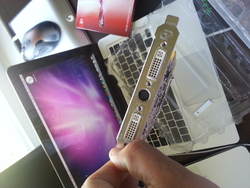
I know its old tech but it's free. Otherwise I'm gonna do something explosive with it lol.
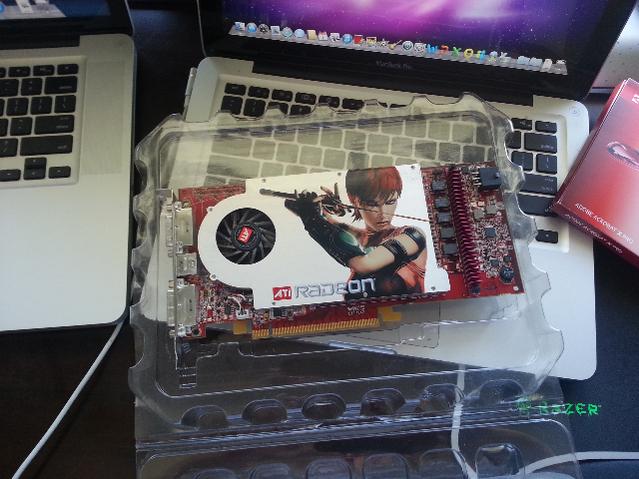
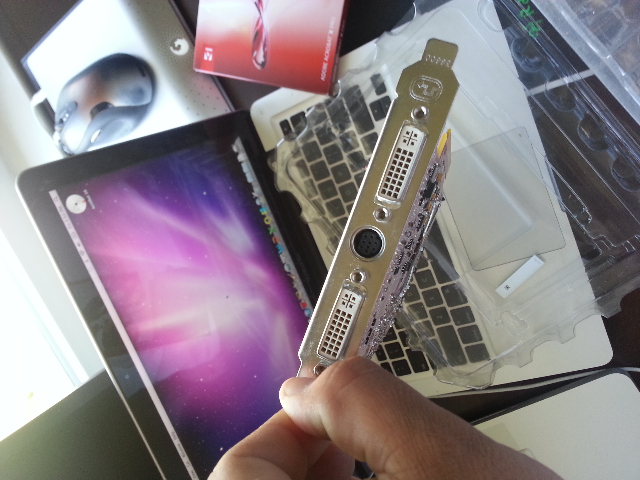
I know its old tech but it's free. Otherwise I'm gonna do something explosive with it lol.
Last edited by PROcede; Jun 8, 2013 at 10:50 AM.

Anyone want this for free?
Attachment 83024
Attachment 83025
Attachment 83026
I know its old tech but it's free. Otherwise I'm gonna do something explosive with it lol.
Attachment 83024
Attachment 83025
Attachment 83026
I know its old tech but it's free. Otherwise I'm gonna do something explosive with it lol.

Registered User
iTrader: (5)
Joined: Apr 2013
Posts: 1,911
From: Orinda/Palo Alto/Los Altos
Car Info: Subaru STi Sedan '13

previously known as wrxBRAH
iTrader: (17)
Joined: Sep 2010
Posts: 3,383
From: San Jose / Campbell
Car Info: 2004 FXT
Pretty much. I procrastinate on my own car. Parts will sit for months because I dont have the motivation to slave a few hours on the weekend to put them on. Id much rather be drinking and watching sports on those days.
Registered User
iTrader: (1)
Joined: Jul 2012
Posts: 1,856
From: San Francisco
Car Info: 2011 WRX Sedan
This, can't believe I bought my 780's and i didnt even get a single game with them -_- just stupid benchmark software to stroke my e-***** zzzzz

Thank you for the offer but some how my old cards are a bit newer
Nice Mac books though!
 Aint that the truth.
Registered User
iTrader: (1)
Joined: Jul 2012
Posts: 1,856
From: San Francisco
Car Info: 2011 WRX Sedan

Registered User
iTrader: (5)
Joined: Apr 2013
Posts: 1,911
From: Orinda/Palo Alto/Los Altos
Car Info: Subaru STi Sedan '13
Is this speaking from experience lmao? It might be good to show procede the yt video of that guy completely destroying his HP.

you have one backup on site AND one backup off-site.
My server is just for crap like family pics and home movies of the kids and stuff, so it easily fits on 1TB drives. I installed the OS, then imaged that drive onto my two backup drives, then changed each ID so thefile system doesn't get confused about which is which. One is installed in the same machine and every night a cron job spins it up, does an incremental backup of the main drive and spins it down. Now, when the main drive fails, I just boot the other drive and I'm back up in no time. The 3rd copy does the same thing, but it's in an external enclosure and lives in my cabinet at work. It comes home every month or three to get updated. This is in-case of a house fire, or an electrical issue that might take out the other two drives.
Yours is much larger, so external doesn't work, but you really want to have your 2nd tier of redundancy in a different physical location. House fires are often only in one area of a house and a major electrical issue is going to take out several drives if it takes out one. Having 3 copies all in one server and one physical location is not really any more secure than 2 copies in one server and one physical location.
Also I do not like RAID as backup. Sometimes you really need a time delay... like accidentally hitting delete on a folder that has a TB or 2 in it. In a RAID, it's gone. Nightly backups you can get it easily. This is why I don't like RAID as backup for home. At the very least run a cron job for incremental backup 1-7 times a week rather than an immediate mirror.